Jul 30, 2013

Hidden escape character in SETX

Shamelessly stolen but very useful

I recently discovered that set and setx behave completely different when it comes to escape characters.

Example:
set bob="C:\Program Files (x86)\Notepad++\notepad++.exe"
setx bobx "C:\Program Files (x86)\Notepad++\notepad++.exe"

right? Seems correct, but one will work, while the other wont.
Executing %bob% will launch notepad while %bobx% will error out.

why? Well, apparently
setx bobx "C:\Program Files (x86)\Notepad++\notepad++.exe" equates to using set with no quotes - like so:
set bob=C:\Program Files (x86)\Notepad++\notepad++.exe


What we find, is that setx has it's own wonky magic, and if we wanted to escape a character, we use  \ ... which doesn't come up in documentation. Awesome, yea?

setx bobx "\"C:\Program Files (x86)\Notepad++\notepad++.exe"\" which would equate to 
..set bob="C:\Program Files (x86)\Notepad++\notepad++.exe"

now %bobx% will start notepad++


free plug for one of the 10^10 blogs that caught it - http://batcheero.blogspot.com/2008/03/setx-escape-character.html


Jul 21, 2013

Downloading SVN without SVN client (aka - how to get wordpress themes)

My friend asked me to migrate her Wordpress.com blog to a private Wordpress.org site.

Wordpress.org setup takes 5 minutes and is not worth writing about. However after migration, the theme was missing.

Apparently, the themes do not migrate, but they are available via SVN here:
https://wpcom-themes.svn.automattic.com/ideation-and-intent (and others)

But... I do NOT want to install SVN, and I could get them with WGET.
off topic, but neat write up on wget here: http://www.linuxjournal.com/content/downloading-entire-web-site-wget

But I did find a way to download any SVN repository as a ZIP file w.o any installs :


BOOM!!

Jul 19, 2013

Netscalers are no laughing matter

Found this conversation I had with an Expedia* network engineer about a year back. Made me shed a tear of laughter and sadness ...

-----

2:54 PM
once upon a time a boss was told that he was responsible for anything bad that happens on all 130 netscalers at expedia
said boss then immediately changed all passwords on all netscalers and asked his network team to manage these appliances
said network team had no clue how to manage said appliances so the tickets backed up
and up
and as the tickeets backed up...
network engineers got fired for messing up the netscalers
and then so did the boss
until there was no one left to manage the appliances
so then .. the natives got restless
.. as teams started to build vips and have issues with vips... the network team was told to fix vips and all vip issues
but buried under piles of tickets the network team still wasn't able to fix the vips
because they couoldn't reach their keyboards
however, it was said by the powers that be that teams would then once again be able to build vips in the realm as long as the network team peer review all changes
yesh, and eli and them can pretty much just ping the brave knight Tajon to peer them and all is well
while the poor, poor (literally broke) network team continue to flail about under piles of tickets
the end


*He was so proud of having worked there, it's not even on his linked in profile. 


Jun 23, 2013

Automation Feedback and making it useful.

We've been running tons of automation. Automation to deploy to a server. Automation to clean the logs. Automation to check the status.. and even automation to check on other automation.

But how do you keep your email box from exploding with status email or just noise?

1: Ask yourself - do you need to know if things are healthy?
2: Can you have self-healing mechanisms in place if things are broken.
3: Does your company have a corporate scheduling engine (Bladelogic, ControlM, or even shared SQL Jobs box)?


Here are a few tips that I found useful:

  • Sending emails on failure only
  • Including reasonable self-healing steps into every script or carving them out into a validation script.
    • for example: Auto cleanup for out-of-space issues, restart IIS, kill off handles to locked file, restarting a server, restart a node in AppFabric cluster, etc..
  • Use TEE command -  pipe console output of your scripts to a log. Any errors not explicitly handled by your scripts will end up at the council and may end up being completely missed.
  • Logs naming convention should allow you to easily group and sort files.
  • If you're using scheduled tasks, have a separate job checking the status of things. It should run under a different account, with a different password expiration date.
  • Keep the email body short.
    • Include the actual error into the email
    • Include the UNC (\\servername\logs\server_name\log_name.html) into the body of the email.
    • Include UNC to the TEE command.
    • Keep the Subject of your emails Informative and Generic:
      "%Servername% failed" is borderline useless as far as subject lines go.
  • You can put all of your logs into a folder accessible through IIS (or tomcat) and just enable directory browsing.

These are just a few ideas.. but you get an idea.

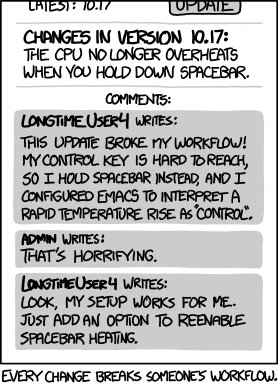
my favorite comic this week..

Feb 6, 2013

How to ping with unplugged network cable?

Sample scenario:
You've rebooted a router and you want to know when the network connectivity is restored.

Typical PING -t  will not work (test-connection might, but I have not play with it a whole lot)

C:\Users\bob>ping -t www.google.com
Ping request could not find host www.google.com. Please check the name and try again.

So... we do a simple alternative by wrapping ping into a loop:

C:\Users\bob>powershell
PS C:\Users\bob> for (1..1000){ping www.google.com;start-sleep 10}
Ping request could not find host www.google.com. Please check the name and try again.
Pinging www.google.com [74.125.129.99] with 32 bytes of data:
Reply from 74.125.129.99: bytes=32 time=20ms TTL=48
etc..


Now, if you want to get fancy, you can use while loop and add ($?) or (!$?) and pair it up with Send-MailMessage or other fanciness of your choice.

GG

Jan 30, 2013

What does release engineer do?

Preface: I work at Expedia.


I went to a graduation reunion yesterday, and we were supposed to give advice to new graduates. Since most people don’t know what Release Engineering is, or what anyone besides a programmer does, I came up with a great way to explain what I do (or so I thought).


Xxx: are you a programmer?
Me: no, I’m a release engineer
Xxx: what’s a release engineer?

me: Do you know what a wedding planner is?
xxx: yes.
me: Ok. Imagine a couple getting married. First they get engaged, and then a bunch of shit has to happen, and they have a big party. So that's what a wedding planner does.
xxx: yea totally
me: In IT world, there is a programmer and a customer. Programmer makes something, then a bunch of shit has to happen, then a customer sees it. I do all the shit in a middle
xxx: I didn’t know Expedia does weddings.

me: ......... I need a beer.

Nov 16, 2012

The SUPERMAN of pings

Here I am troubleshooting call center connectivity...

I can do all kinds of things, I can even hit the damn thing through my phone.
.. it's not enough. The call center in Philippines cant access the damn thing.

Is it firewall?
Is it Websense?

http://www.just-ping.com

BOOM!!! Life got just a little bit easier.

Nov 9, 2012

Self referencing experiment


Experimenting with posting from iDevice. 
Subject name: blog docs
Result: pending

Overall the proggie looks pretty good. Took just a few minutes of random clicking to figure it out. Easy login for bunch a platforms.


...bombs awaaaaaaay. ... Now where is that damn post button.

I blog with BE Write
I guess the only negative is this /\  ugly ass thing that gets added to your post

Oct 31, 2012

Converting SID to Windows account without typing SID

You have something like this and you want to know who the hell this string of number is.


I dont know if there is an easier way, but a few years ago I wrote a powershell function which I will share with you:


function ConvertTo-NtAccount ($sid) {(new-object system.security.principal.securityidentifier($sid)).translate([system.security.principal.ntaccount])}
function ConvertTo-Sid ($NtAccount) {(new-object system.security.principal.NtAccount($NTaccount)).translate([system.security.principal.securityidentifier])}


But then you still have to type this damn string... nope
Since you're already in powershell, just execute:
(acl "FILE NAME HERE").access
You'll get something like this:
FileSystemRights  : DeleteSubdirectoriesAndFiles, Delete
AccessControlType : Allow
IdentityReference : S-1-5-21-123456789-12345678777-722323232-654321
IsInherited       : True
InheritanceFlags  : None
PropagationFlags  : None 
Now simply run
ConvertTo-NtAccount S-1-5-21-123456789-12345678777-722323232-654321

BOOM
You're welcome

PS: as a funny side note, I forgot about ACL command, and not wanting to type the SID by hand I looked for alternative. The most natural alternative I came up with was OneNote. Print screen the properties box, paste into One Note, right click and select "Copy Text from Image". Paste. A bit backasswards but it works.


Oct 25, 2012

Chrome forever

While publishing some stuff on confluence I realized that there is no way to render Viso files. You gotta save them as .JPG and attach both. What a pain.

But wait. There is a way. Apparently Confluence has a plugin that can use IE native Visio rendering functionality to display Visio. And apparently there is a fantastic plugin for Chrome: "IE Tab".

The two most popular ones are here (source of the discovery here):
http://www.ietab.net/ie-tab-documentation?from=chromeurl
http://iblogbox.com/chrome/ietab/alert.php

I've installed both to try them out. Be warned, I don't know which one steals more of your private data, so as they say in the blogosphere: "YMMV".


Unrelated image:


Oct 17, 2012

Cheating in style

There is a great page out there that's been making my life more enjoyable: xkcd...


There is another, equally useful site, which I've been using for around a year.. but only for RegEx.. today I found a slew of other cheats: http://www.addedbytes.com/cheat-sheets/

Examples:

Oct 15, 2012

SQL management studio (SSMS) line wraps.

I was surprised to find that Release Engineer was available in the bloggosphere and promptly staked a claim to the name.

Today's 10 seconds of saved productivity is represented by Line Wrap in sql management studios: http://www.mssqltips.com/sqlservertip/1623/easier-way-to-read-your-tsql-code-in-ssms-with-word-wrap-feature/


Solution: Line many new features in SQL Server Management Studio (SSMS), Microsoft has also addressed the word wrap issue. You can easily turn on this feature for the SSMS query pane, just follow the steps below to turn on this feature.. From the SSMS menus select "Tools" and then "Options"


Check the check box for "Word wrap" and "Show visual glyphs for word wrap".

Vola! No more single-line queries running off into the abyss.